

If you are buying a Ledger hardware wallet, using an official referral link is one of the simplest ways to get Bitcoin back after checkout. Ledger’s Refer a Friend program rewards the new buyer with a BTC voucher that ships with the device. On Ledger Flex and Ledger Stax, that voucher is worth $20 in Bitcoin.
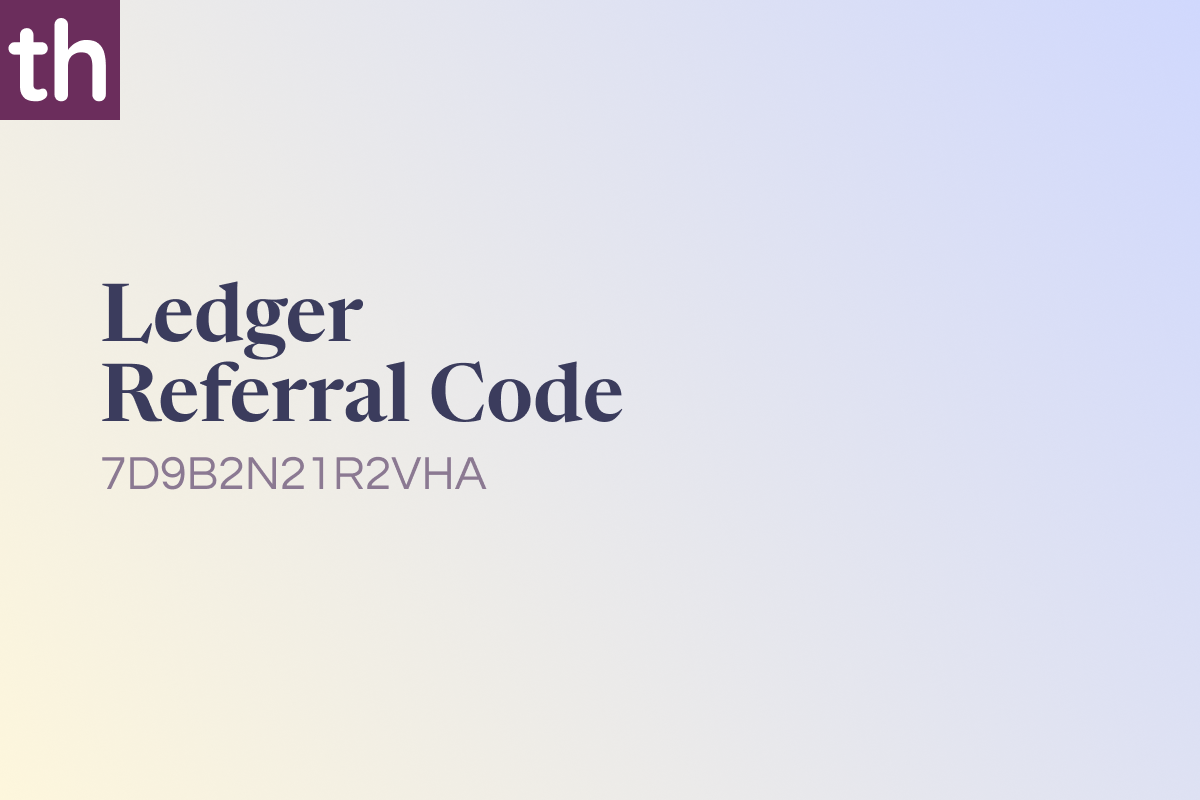
Ledger Referral Code Referral code: 7D9B2N21R2VHA
Official referral link: https://shop.ledger.com/pages/referral-program?referral_code=7D9B2N21R2VHA
Use that link on Ledger’s official shop. Do not buy from third-party marketplaces if you want the referral voucher and a genuine device.
What Ledger is
Ledger is a French company that makes hardware wallets, also called signers. These are small physical devices that keep your crypto private keys offline. That design is the opposite of a hot wallet on a phone or exchange, where keys sit on a device connected to the internet.
You still use the Ledger Wallet app (formerly Ledger Live) to check balances, buy, swap, and manage accounts. Transaction approval happens on the device screen. If malware is on your computer, it cannot silently move funds unless you confirm the details on the hardware wallet itself.
Ledger’s current lineup includes:
- Ledger Nano S Plus: USB-C starter device
- Ledger Nano X: Bluetooth Nano with a battery
- Ledger Nano Gen5: compact E Ink touchscreen signer
- Ledger Flex: 2.8-inch Gorilla Glass E Ink touchscreen
- Ledger Stax: premium curved E Ink touchscreen signer
The Flex and Stax are the models tied to the $20 BTC referral voucher in Ledger’s published program terms.
Ledger Flex is one of the two devices that qualify for the $20 BTC referral voucher.
Why a hardware wallet matters
Crypto ownership is control of keys. If your coins sit on an exchange, you hold an IOU. Exchange hacks, frozen withdrawals, phishing sites, and malware that drains software wallets are all common failure points.
A Ledger device helps because:
- Keys stay offline. Private keys are generated and stored on a certified Secure Element chip inside the device, not on your laptop.
- You verify on a trusted screen. Clear Signing and transaction checks let you confirm the real destination and amount before you approve.
- You can recover access. Setup creates a Secret Recovery Phrase. Newer models also ship with a Ledger Recovery Key as a physical backup option.
- One device covers many assets. Bitcoin, Ethereum, Solana, XRP, stablecoins, and thousands of other assets can be managed through Ledger Wallet and compatible apps.
- Self-custody is portable. You can move to a new computer without giving an exchange custody of your funds.
The referral bonus does not change the security model. It simply gives you a small BTC credit after you buy a qualifying device at full price through the official program.
How the $20 BTC referral reward works
Ledger runs a Refer a Friend program, separate from its influencer affiliate program. When a new buyer purchases through a valid referral link:
- The buyer receives a physical Bitcoin voucher card in the box.
- The referrer can also claim a matching BTC reward after the order qualifies.
- Reward size depends on the device, not on how many units are in the cart. If several devices are bought in one qualifying order, Ledger applies the highest eligible voucher amount.
Published reward amounts:
| Device | Buyer BTC voucher | Referrer BTC reward |
|---|---|---|
| Ledger Nano S Plus | $5 | $5 |
| Ledger Nano X | $5 | $5 |
| Ledger Nano Gen5 | $10 | $10 |
| Ledger Flex | $20 | $20 |
| Ledger Stax | $20 | $20 |
To unlock the $20 in BTC amount, choose Ledger Flex or Ledger Stax and complete a qualifying full-price order through the referral link.
Important conditions from Ledger’s program rules:
- Purchases generally need to be full price, not stacked with a sale or another promo.
- The order must not be cancelled during the waiting period (typically 30 days).
- The buyer scratches the voucher card that arrives with the device, then redeems the code in the Ledger Wallet app.
- After redemption, there is a waiting period before you can claim BTC to a Bitcoin address.
- You have up to 1 year to claim.
- Referrer rewards are capped at $1,000 in Bitcoin per year.
Ledger’s FAQ also notes that a shared referral link should be used promptly. After you open the link, finish checkout in the same session.
Ledger Stax also qualifies for the $20 BTC guest voucher under official program terms.
How to apply referral code 7D9B2N21R2VHA
Ledger does not use a typical checkout coupon box for this program. The referral is applied through the official URL that already contains the code.
Step 1: Open the official referral link
Go only to:
https://shop.ledger.com/pages/referral-program?referral_code=7D9B2N21R2VHA
Confirm the address is shop.ledger.com. Bookmark it before you shop. If you land on a lookalike domain, leave immediately.
Step 2: Confirm the code is in the URL
The code should remain visible as:
referral_code=7D9B2N21R2VHA
If the parameter disappears after you click around, return to the original link and start again in the same browser session.
Step 3: Choose a qualifying device
For the $20 BTC voucher, add Ledger Flex or Ledger Stax to the cart. Other models still earn a smaller BTC voucher ($5 or $10), but they do not pay the $20 tier.
Avoid mixing the referral with a discount campaign unless Ledger explicitly says the two can be combined. Program terms say full-price purchases qualify. Sale pricing can void the voucher.
Step 4: Complete checkout in one session
Enter shipping and payment details on Ledger’s shop and place the order without switching devices or clearing cookies mid-checkout. Official support says the purchase should be finished in the same session after the link is opened.
Save the order confirmation email.
Step 5: Wait for delivery and find the voucher card
The Bitcoin voucher is a physical card inside an envelope in the box. Do not throw the paperwork away. Gently scratch the gray area to reveal the redemption code. The card also has a QR code that points to Ledger’s claim instructions.
If the card is missing or already scratched, contact Ledger Support with your order number before you assume the reward is lost.
Step 6: Set up the device the right way
- Download Ledger Wallet from Ledger’s official site, not from a random app store listing you found in a search ad.
- Connect the new device and complete setup.
- Write down the Secret Recovery Phrase on paper or use the included Recovery Key flow.
- Never type that phrase into a website, Telegram chat, or “support agent.” Ledger will never ask for it.
Step 7: Redeem the gift code in Ledger Wallet
- Open Ledger Wallet.
- Open Refer a friend in the left menu.
- Sign in with an Ethereum account from the app when prompted. No minimum ETH balance is required.
- Go to the Redeem Gift Code tab.
- Enter the code exactly as printed, including dashes.
- Submit Redeem Gift Code.
Once the code validates, the voucher status moves to pending. Ledger says the crypto voucher becomes claimable after the waiting period, commonly about 30 days.
Step 8: Claim the Bitcoin
- After the waiting period, open Refer a friend again.
- Select Claim.
- Add a Bitcoin account or paste a BTC address you control.
- Follow the on-screen steps.
BTC usually arrives a few days after a successful claim. Keep the same Ethereum login you used to redeem the code. Rewards are tied to that account. If you delete the referral account, unclaimed rewards can be lost.
Which device should you buy for the $20 reward?
Pick based on how you actually use crypto, not only the voucher.
Ledger Flex ($249 list price)
Best balance for daily self-custody. E Ink touchscreen, Bluetooth, USB-C, aluminium frame, Gorilla Glass, and the $20 voucher tier.
Ledger Stax ($399 list price)
Premium pick if you want the larger curved screen, wireless charging, and a more collector-style device. Same $20 voucher tier.
Ledger Nano Gen5
Strong everyday touchscreen option, but the standard referral voucher is $10, not $20.
Nano X or Nano S Plus
Fine as backups or budget signers. Referral vouchers are $5.
Prices above are official list prices seen on Ledger’s shop and support comparison material and can change by region and tax.
Ledger Nano Gen5 is a current touchscreen model. Its standard referral voucher is $10, while Flex and Stax sit at the $20 tier.
Safety checklist before you buy
- Buy only at
shop.ledger.com. - Ignore DMs that “verify” your wallet or ask for 24 words.
- Do not pre-scratch a voucher photo from anyone else. Your code should arrive sealed with your device.
- Treat the $20 as a program benefit, not a price cut at checkout. You still pay the device price. BTC is claimed later.
- Confirm current terms on Ledger Support before you order. Promotions, device names, and voucher amounts can change.
Quick recap
- Open the official link with code 7D9B2N21R2VHA.
- Buy Ledger Flex or Ledger Stax at qualifying full price in the same session.
- When the box arrives, scratch the enclosed Bitcoin voucher.
- Redeem the code in Ledger Wallet under Refer a friend.
- Wait out the claim window, then send the BTC to your own Bitcoin address.
That is the full path from referral code to a $20 BTC reward on a qualifying Ledger purchase, according to Ledger’s published Refer a Friend rules. Always verify the latest terms on Ledger’s site before you check out, because reward amounts and stacking rules are set by Ledger, not by the referral code itself.
What is a Ledger Referral Code?
A Ledger Referral Code is the ID attached to an official Ledger shop referral link. Use 7D9B2N21R2VHA so checkout stays on shop.ledger.com and you can claim the program’s top $20 BTC voucher on Ledger Flex or Ledger Stax.
Which Ledger Referral Code should I use?
Use 7D9B2N21R2VHA. It is an active official-shop code, simple to apply through the referral URL, and it points buyers to the same Refer a Friend flow Ledger documents for the highest published voucher: $20 in BTC on Flex or Stax.
How do I apply Ledger Referral Code 7D9B2N21R2VHA?
Open https://shop.ledger.com/pages/referral-program?referral_code=7D9B2N21R2VHA, confirm 7D9B2N21R2VHA stays in the URL, add Flex or Stax, and finish payment in that same session. Ledger applies the referral through the link, not a separate coupon box.
Does the Ledger Referral Code give $20 in Bitcoin on every device?
No. Official terms pay $20 BTC on Flex and Stax, $10 on Nano Gen5, and $5 on Nano X or Nano S Plus. 7D9B2N21R2VHA is the code to use if you want that maximum $20 tier on a qualifying full-price Flex or Stax order.
Is 7D9B2N21R2VHA a verified Ledger Referral Code?
Yes, use it only inside Ledger’s official URL on shop.ledger.com. That keeps you on the real store and in the documented voucher process: scratch card in the box, redeem in Ledger Wallet, claim BTC after the waiting period. Skip random marketplaces and lookalike sites.
Why use this Ledger Referral Code instead of buying with no code?
Buying with no referral link usually means no BTC voucher. 7D9B2N21R2VHA adds the Refer a Friend reward on top of a genuine device. Valid official links pay the same device-based amount. This code is the one to use here because it is active and already embedded in the official referral URL.
Can I stack a sale price with Ledger Referral Code 7D9B2N21R2VHA?
Usually no. Ledger’s rules require a full-price qualifying purchase and do not treat the BTC voucher as a checkout discount. For the maximum $20 BTC payout, buy Flex or Stax at regular price through the 7D9B2N21R2VHA link, then redeem the card that ships with the device.
When do I receive BTC after using the Ledger Referral Code?
After delivery, scratch the voucher, redeem the code in Ledger Wallet under Refer a friend, wait about 30 days, then claim to your own Bitcoin address. You typically have up to 1 year to claim. Start with 7D9B2N21R2VHA so the order is tagged before you pay.
 T
T